
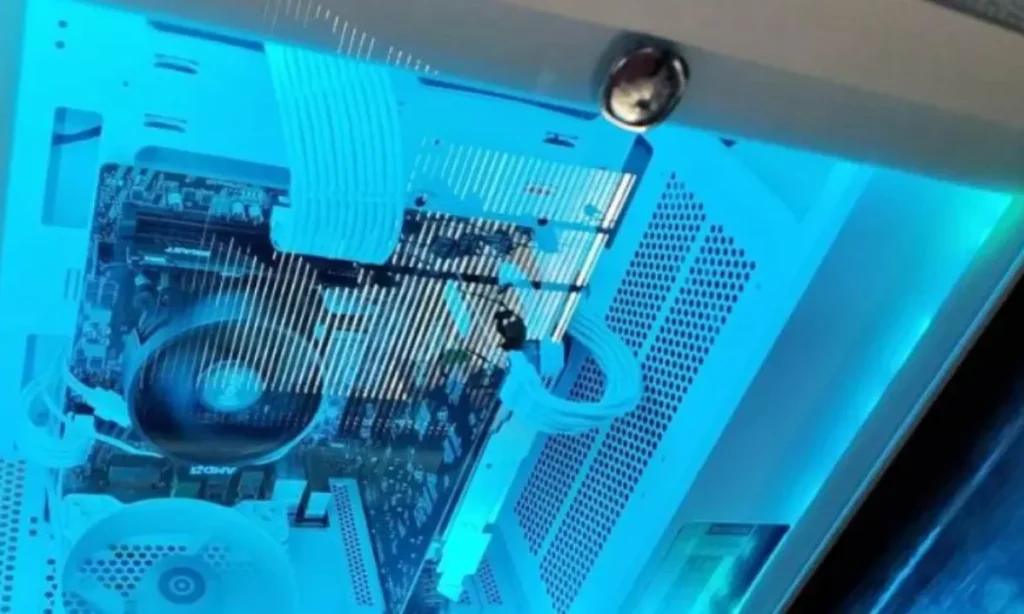
Buying your first prebuilt gaming feels frustating as there are hundreds of brands, models, and hardware configurations to choose from. Researching for a prebuilt gaming machine makes things even worse when you come across gaming forums and communities where everyone holds a different opinion. I would say, just keep it simple and focus on the criteria or factors I’ll discuss in guide to buy your first ever prebuilt gaming PC.
When it comes to prebuilt gaming PC, everything revolves around the hardware balancing and configuration. A low-budget prebuilt gaming with balanced hardware selection outperforms an expensive gaming machine. Our core focus for this guide revolves around what hardware to look for in a prebuilt gaming rig and how that impacts the gaming performance.
Why You Should Buy A Prebuilt Gaming Machine?
Building your own gaming PC gives you a lot of control over the hardware selection within your define budget. However, buying a prebuilt gaming PC offers value, convenience, and reliability if you are entering the gaming PC world. It saves you a lot of time that you may spend on searching for individual parts on different platforms.
Some of the noteable reasons to buy a prebuilt gaming PC are listed below.
- Ready to use right out of the box with no assembly required.
- Saves time compared to researching, buying, and building individual parts.
- Includes a full system warranty that covers the entire PC. Professional assembly and testing help reduce setup issues.
- Guaranteed component compatibility between the CPU, GPU, motherboard, and memory.
- Access to the latest graphics cards and processors without hunting for parts.
- Technical support from a single manufacturer instead of multiple component vendors.
What to Do Before Buying A Prebuilt Gaming PC?
Journey to buying a gaming PC starts with defining the budget. Ask yourself, how much should you spend in terms of the gaming performance you expect. Start by defining your gaming style all the way to the fancy perks you need in a gaming PC.
- Define Budget: Prebuilt gaming PCs fall under different budget. Th entry-level prebuilts start from $500 and go all the way over to $3000 based on the quality of parts installed inside. A $500 prebuilt gaming has enough power for 1080p gaming. Mid-range prebuilts around $1000 to $1500 can let you play games at 1440p and even 4K (low graphical settings).
- Gaming Style: Defining your gaming styles means do you prefer playing eSports title or your prefer going for AAA games. Most gamers these days prefer a gaming PC for gaming and streaming at the same time. So, the hardware inside a gaming PC decides if these tasks are achievable.
- Additional Features: Modern prebuilt gaming PC come with a lot of perks such as RGB lighting, transparent side glass panel, liquid cooling, etc. Choosing any of these feaures may increase the final price tag of the machine you intent to buy. I recommend going with the hardware parts responsible for driving the gaming performance. Once you decide on that, you can then go for aesthetical side incase you have enough budget on hand.
What to Piroritize When Buying A Prebuilt Gaming PC?
Once you decide on your budget, gaming style, and features you want in a gaming PC, the next step is the selection of right components followed by capability to upgrade, and warranty.
1. Processor or CPU
You need a powerful newer generation CPU with faster clock speed and enough cores (at least 6) for smoother gaming performance. Most beginners just read the product listing to see if it mentions “Core i7” and that’s it. This is where you are trapped by gaming PC vendors . Later you are welcomed by an older generation Core i7 that is super slow due to limtied cores, clock speed, and cache.
Modern games demand a CPU with at least six cores with each core faster enough to process any tasks at a time. According to my own experience of building gaming PCs over a decade, a CPU with faster per-core performance outperforms a CPU with multiple cores with lower base clock speed. Even a latest generation Core i5 chip can easily outperform a decade old Core i7 in gaming.
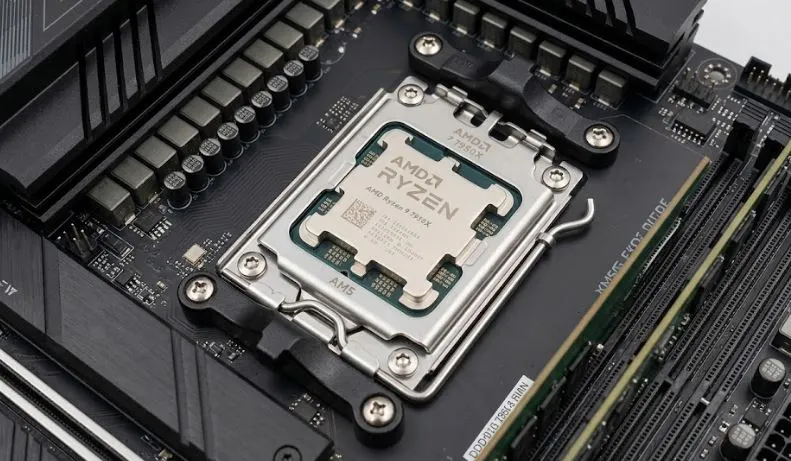
A faster CPU decides how system handles multitasking, open-world games, and any tasks like streaming without bottlenecking your GPU. You don’t need to buy an expensive CPU in this regard. Always look for a CPU that balances in performance with the GPU installed on the gaming PC you intend to buy. One way to check this is to know about the “Generation” or “Series” of the CPU. A latest generation CPU with a latest generation GPU would cause to minmal to no bottlenck, thus enhacing the overall gaming performance.
When choosing between an AMD or Intel CPU, just ask yourself what kind of performance you need out of that machine. Most prebuilt gaming PCs on the market are equipped with AMD chips rather than Intel. PC vendors choose AMD chips due to their cost-effectiveness and better multitasking capabilities. If you solely plan to play
2. GPU
GPU or Graphics Card acts as the backbone of gaming PC. It is responsible for digital image processing and to accelerate computer graphics, frame rates, visual quality, and different resolutions to play at. A prebuilt gaming PC comes with an integrated (soldered to motherboard) or a dedicated graphics card. Entry-level gaming PCs are often equipped with an integrated graphics chip to play games at lower resolution or low settings. Mid-range or high-end prebuilt gaming PC usually come with a dedicated GPU to level up your gaming peformance and enjoy playing at 1080p, 1440p, or 4K resolution.
GPU is the only part in a gaming PC that consumers most of your defined budget. Adjusting the budget for GPU decides the final performance of your gaming machine. Currently, Nvidia RTX 5000 Series GPUs are ruling the market and if you find one of these in prebuilt machine, simply go for it. Nvidia is leading the GPU market by offering innovative features like ray tracing and DLSS in their RTX GPU line-up. The inclusion of ray tracing and DLSS results in real-life and smoother gaming experience.
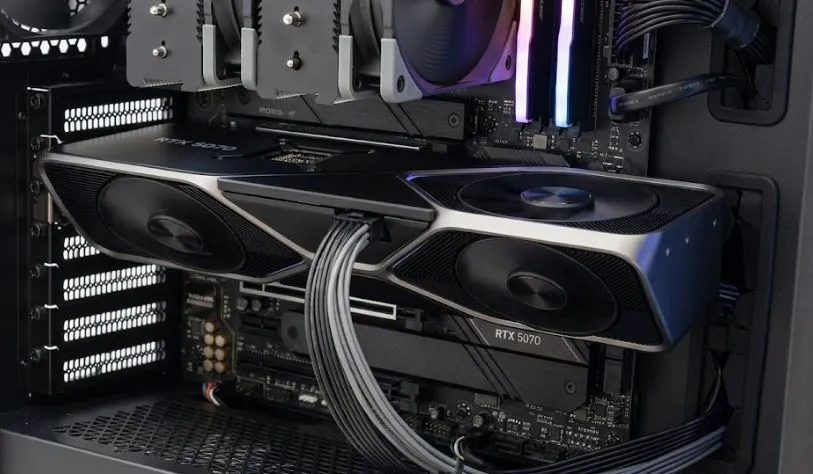
Moving on, which platform to choose Nvidia or AMD? Choosing an Nvidia-based gaming PC means you will spend slightly more money than an AMD-based gaming PC. However, if you pure gaming performance is your final bet, then Nvidia has no parallel. Intel has stepped into the gaming PC market with their Intel Arc chipsets, but these are rare to be found on prebuilt rigs. Honestly speaking, Nvidia still offers more value and gaming juice compared to Intel Arc cards.
Another thing that most beginners miss out on is how much video memory you require for smoother gaming. 8GB is the bare minimum VRAM to have these days in a gaming PC. An 8GB graphics card can let you scale any game at 1080p or 1440p resolution.
3. RAM (Memory)
When buying a prebuilt gaming PC, get as much RAM if you are too heavy on multitasking while gaming. 16GB RAM in a gaming PC is the industry standard, while hardcore gamers still go for 32GB to keep things running smoothly. Adequate RAM helps a gaming PC handle more data at the same time. It improves multitasking, reduces slowdowns caused by insufficient memory, and allows games, browsers, voice chat, and streaming applications to run together more smoothly.
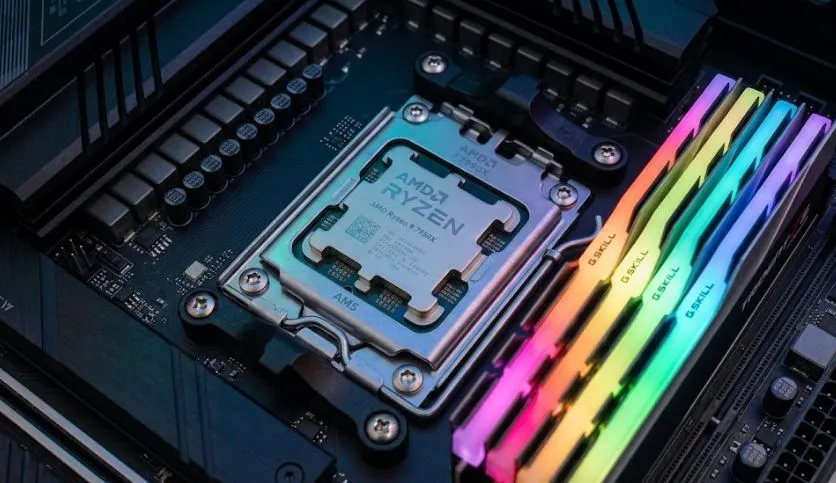
When deciding on the RAM, capacity is the not the only thing that decides on the gaming performance. Pro gamers focus on RAM type and clock speed to gain edge in CPU-heavy games. RAM type and speed affect gaming most when the CPU needs quick access to game data. For example, a modern gaming PC with 32GB DDR5-6000 CL30 memory will usually perform better than the same system with DDR5-4800 memory because the faster RAM provides higher bandwidth and lower latency. Current testing across AMD Ryzen and Intel Core platforms shows that DDR5-6000 CL30 is the gaming sweet spot, offering the best balance of performance, stability, and value.
4. Fast Storage
Choosing a fast storage device such as NVMe SSD offers quicker loading times and smoother gaming performance. Choose a gaming PC that comes with at least 1TB of storage space and latest generation Gen3, Gen4, or Gen5 (PCIe 5.0) SSD. Traditional hard drives are obsolete and I don’t recommend going for them unless you need them to back up game files. SSDs are faster and more durable than traditional HDDs, so focus on getting these in gaming PC you intent to buy.
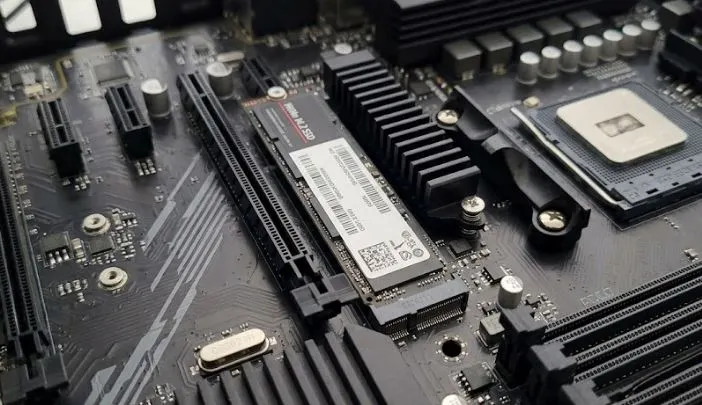
According to study by IGN.com, 1TB is the bare minimum storage space to have in a gaming PC. I recommend increasing this to 2TB NVMe SSD if you plan to build a large gaming library. In the past, 40 GB of storage was sufficient for hundreds of PC games. Currently, titles such as Call Of Duty: Black Ops Cold War require at least 125GB of free space alone to install. So consider buying a gaming PC that comes with enough storage to save your favorite games.
5: PSU (Power Supply Unit)
PSU or Power Supply Unit is the powerhouse of a PC. It is responsible for powering all the components connected on a motherboard. Look for a gaming PC that comes with reliable PSU with 80 Plus Gold certification or higher for uninterrupted energy supply to connected hardware.
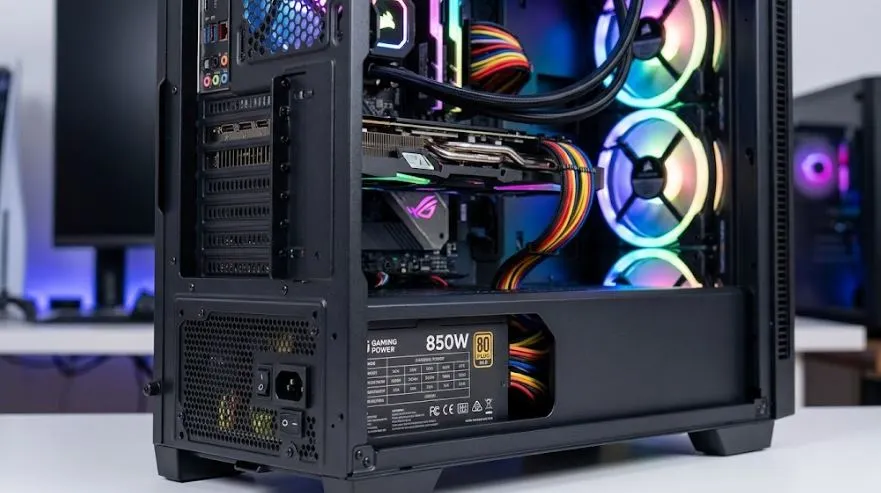
In a standard gaming PC with a dedicated graphics card and high TDP CPU, the power requirement typically ranges between 350W to 500 watts. The demand for stable power supply increases if you plan to install a power-hungry GPU, multiple storage drives, and advanced cooling system. Prebuilt gaming PC usually come with the pre-selected power supply from the manufacturer sufficient enough to power hardware present inside.
6: Cooling Mechanism
A prebuilt gaming PC with high-end parts produces heat which needs to be dissipated through proper cooling kit. In entry-level prebuilt gaming PCs, air cooling is sufficient to cool down CPU, GPU, and other parts. For high-end gaming PC, prefer going with liquid cooling for maximum heat dissipation and maintain optimal temperature inside the case. I recommend buying a gaming PC with proper cooling system to maintain the positive pressure inside the case and avoid any unwanted noise.
7: I/Os & Future Upgrades
I/Os or connectivity ports play a crucial role in a gaming PC. These ports allow you to connect multiple devices with your machine to enhance gaming experience. Look for prebuilt gaming PC with a mix of USB-A and USB-C ports. Along with these, make sure there’s availability of HDMI and DisplayPorts for connecting higher refresh rate gaming screens.
Along with surplus connectivity ports, make sure the gaming PC you intend to buy is future-proof and upgradable. Let me start from the cheapest upgrade option, the RAM and storage. The gaming PC you choose must offer extra RAM and SSD slots to expand on the memory in near future. A roomy chassis would allow you add bulky peripherals like GPU, liquid coolers, etc.
8: Brand & Warranty
Choosing the best prebuilt gaming PC brand does not affects the performance, but it does helps the buyer get access to retailer’s transparency, support, and warranty. A reliable brand offers clear warranty terms and customer support if anything goes wrong with your machine.
Get a pre-built PC with a clear warranty and reliable customer support. Check warranty length, coverage, claim process, and repair options. Compare systems using exact CPU, GPU, RAM type and speed, storage, motherboard, and PSU details. Avoid vague hardware labels that make quality and value hard to judge. Know if upgrading or opening your PC for future upgrades affects your warranty.
What to Avoid When Buying A Prebuilt Gaming PC?
When buying a prebuilt gaming PC, watch out for:
- Unknown PC Brand: Don’t end up gaming PC from an unknown brand. Platforms like Temu, AliBaba, and AliExpress are jammed with different gaming PC brands claiming higher performance for a lower price. I recommend going with trusted gaming PC brands if you are new to gaming PC world.
- Non-branded PSUs: A low-quality PSU can compromise the performance and long term stability of the system. Look for gaming PCs with certified PSUs for stability and longevity.
- Vague Labels: Avoid descriptions that use broad terms like “high-performance RAM,” “powerful GPU,” or “gaming-grade PSU.” These labels do not provide enough detail for a fair comparison. Prefer exact hardware specifications, such as CPU: Intel Core i7-14700F, GPU: NVIDIA GeForce RTX 5070 12GB, RAM: 32GB DDR5-6000 on the listing description page.
The rule is simple: prefer the brand, exact model, capacity, generation, speed, and key standard for each major component. This makes it easier to compare gaming PCs and spot lower-quality parts.
How to Set Budget for Buying A Prebuilt Gaming PC?
Set your gaming PC budget based on your target resolution and performance. Entry-level systems around $500 suit basic 1080p gaming. A $1,000 budget usually targets stronger 1080p or entry-level 1440p gaming. Around $1,500 fits a mid-range 1440p system. High-end PCs at $2,000+ target high-refresh 1440p or 4K gaming.
For a prebuilt gaming PC, allocate roughly 60–70% of the budget to the CPU and GPU, with the GPU receiving the larger share. Reserve the remaining budget for RAM, storage, motherboard, PSU, cooling, and the case. Keep a separate budget for your monitor and gaming accessories.
| Budget | PC class | Gaming Performance to Expect |
|---|---|---|
| Around $500 | Entry-level | 1080p |
| Around $1,000 | Mid-range | 1080p / 1440p |
| Around $1,500 | Upper mid-range | 1440p |
| $2,000+ | High-end | 1440p / 4K |
Your GPU should receive priority when gaming performance matters most. The CPU still needs enough performance to prevent limiting the GPU, especially at high frame rates.
For example, a $1,500 prebuilt gaming PC might allocate about 65% ($975) to the CPU and GPU. The remaining 35% ($525) covers memory, storage, motherboard, PSU, cooling, and the case.
How Much Does It Costs to Buy A Prebuilt Gaming PC?
Cost to buy a prebuilt gaming PC depends upon the type of hardware installed inside. Generally, a decent prebuilt gaming PC ranges between $500 to $2000. Entry-level gaming PCs cost around $500, mid-range gaming PCs around $1000, and top-tier gaming PC cost over $1500.
Is $1000 Enough for A Gaming PC?
Yes, $1000 is enough for buying a mid-range gaming that can play any modern game at 1080p 60fps resolution.
Which Gaming PC Brand is Best for Beginners?
The best gaming PC brands include Alienware, ASUS ROG, MSI, NZXT, iBUYPOWER, Corsair, Lenovo, and HP Omen.