
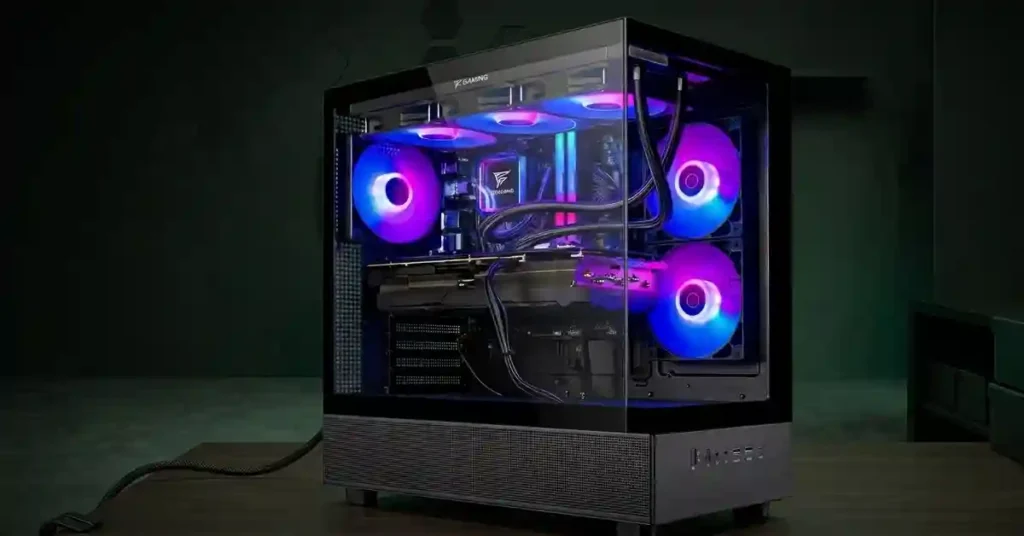
The Skytech Azure 3 Gaming PC with AMD Ryzen 7 7800X3D and Radeon RX 9070 XT is a high-performance prebuilt gaming desktop aimed at 1440p gaming, high-refresh gaming, and demanding AAA titles.The combination pairs a gaming-focused Ryzen 7 7800X3D processor with a Radeon RX 9070 XT 16GB graphics card, DDR5 memory, NVMe storage, a B650 motherboard, and a 360mm liquid CPU cooler.
I tested the configuration with the Ryzen 7 7800X3D, which uses 3D V-Cache, and the RX 9070 XT. The balanced hardware delivers high-refresh 1440p gaming. Cyberpunk 2077, Red Dead Redemption 2, and Valorant 2 without performance problems. Stock changes often, and the Skytech listing showed this configuration out of stock at the time of writing. Black Friday and Cyber Monday sales are approaching, so check Skytech’s store and major retailers for availability.
For buyers, the main question is simple: Is the Skytech Azure 3 with Ryzen 7 7800X3D and RX 9070 XT a good gaming PC? The answer depends on the exact memory, storage, price, and SKU, but the CPU-GPU combination gives the Azure 3 a strong foundation for 1440p gaming.
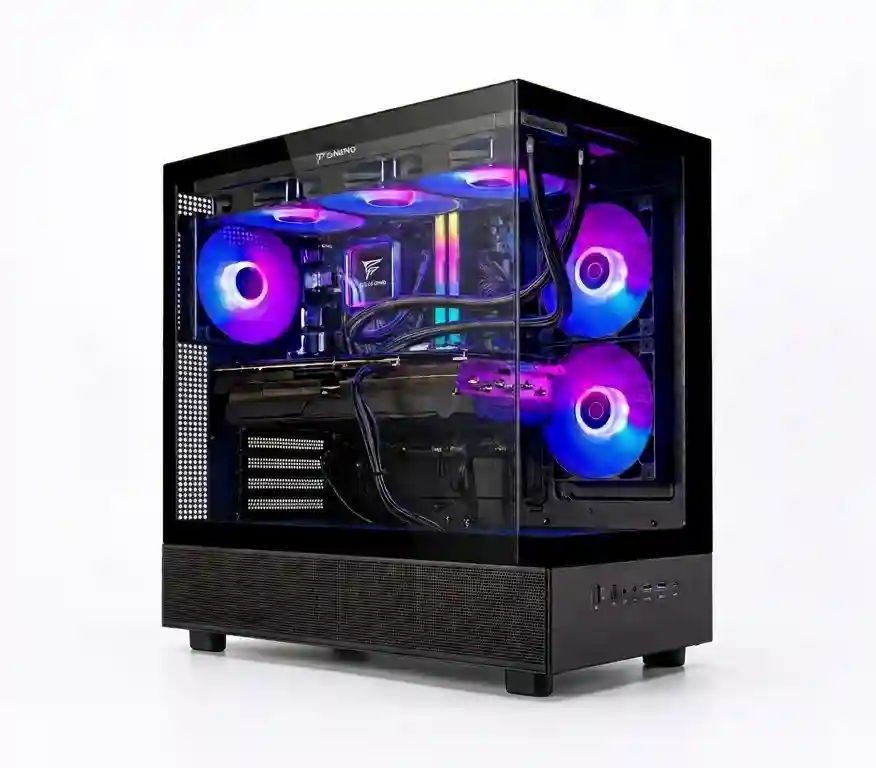
Skytech Azure 3 Gaming PC
- CPU: AMD RX 7800X3D 4.2 GHz ( 8 cores, 16 threads)
- GPU: AMD RX 9070XT 16GB
- RAM: 32GB DDR5 6000MHZ RGB
- Storage: 2 TB NVMe Gen4
- PSU: 850W Gold
- Operating System: Windows 11 Home
- I/Os: WI-FI 5 802.11ac, 1 x HDMI, and 1 x Display Port, USB Ports Including 2.0, 3.0, and 3.2 Gen1 Ports, HD Audio
- CPU Cooler: 360mm AIO liquid cooler
- Case: Azure 3 Black (Montech XR Skytech Edition)
What Makes the Ryzen 7 7800X3D + RX 9070 XT Combination Interesting?
The Ryzen 7 7800X3D and Radeon RX 9070 XT create a gaming-focused CPU-GPU combination with strong 1440p performance potential.
How Good is Skytech Azure 3 in HD Gaming?
The Azure 3 is a strong 1440p gaming PC featuring a high-end gaming CPU, the 7800X3D. The chip has 8 cores, a 5.0 GHz boost, and 96MB of L3 cache, which includes the 3D V-Cache. The extra cache keeps game data close to the cores, so the CPU feeds the GPU fast. In the benchmarks, Overwatch 2 reaches 590 FPS at 1080p and Fortnite 2 reaches 298 FPS, which fits that strength. The trade-off is productivity. The 7800X3D has 8 cores, so video editing and 3D rendering run slower than on chips with more cores. For gaming and streaming, the chip has headroom.
In addition to a powerful CPU, the Azure 3 features a beefy 16GB RX 9070 XT graphics card. This chip allows you to max out any game at 1440p. You can max out eSports games to 4K settings for some visual trade-offs. RX 9070 XT is the best GPU for1440p gaming, competitive esports performance, or gaming with a stream running.
I’ve tested some famous titles on this machine. The table below lists the average FPS for each game at 1080p settings.






Is the Azure 3 Good for 4K Gaming?
Yes, the Skytech Azure 3 is good for 4K gaming, particularly with the Radeon RX 9070 XT 16GB. At 4K resolution, the GPU handles most of the workload because rendering four times the pixels of 1080p places significantly more demand on graphics performance. The RX 9070 XT’s 16GB of VRAM also provides useful headroom for high-resolution textures and modern game assets, although demanding titles may require adjusting graphics settings to maintain smoother performance.
How Does the Skytech Azure 3 Handle Cooling?
The Skytech Azure 3 accomodates a 360mm AIO liquid CPU cooler for high-end cooling. The large radiator provides substantial cooling capacity for the Ryzen 7 7800X3D. A 360mm AIO uses three 120mm-class radiator fans to move heat away from the CPU through the liquid cooling loop.
For a Ryzen 7 7800X3D gaming system, this 360mm AIO provides more cooling hardware than a basic air cooler. The cooler also contributes to sustained CPU performance during long gaming sessions.
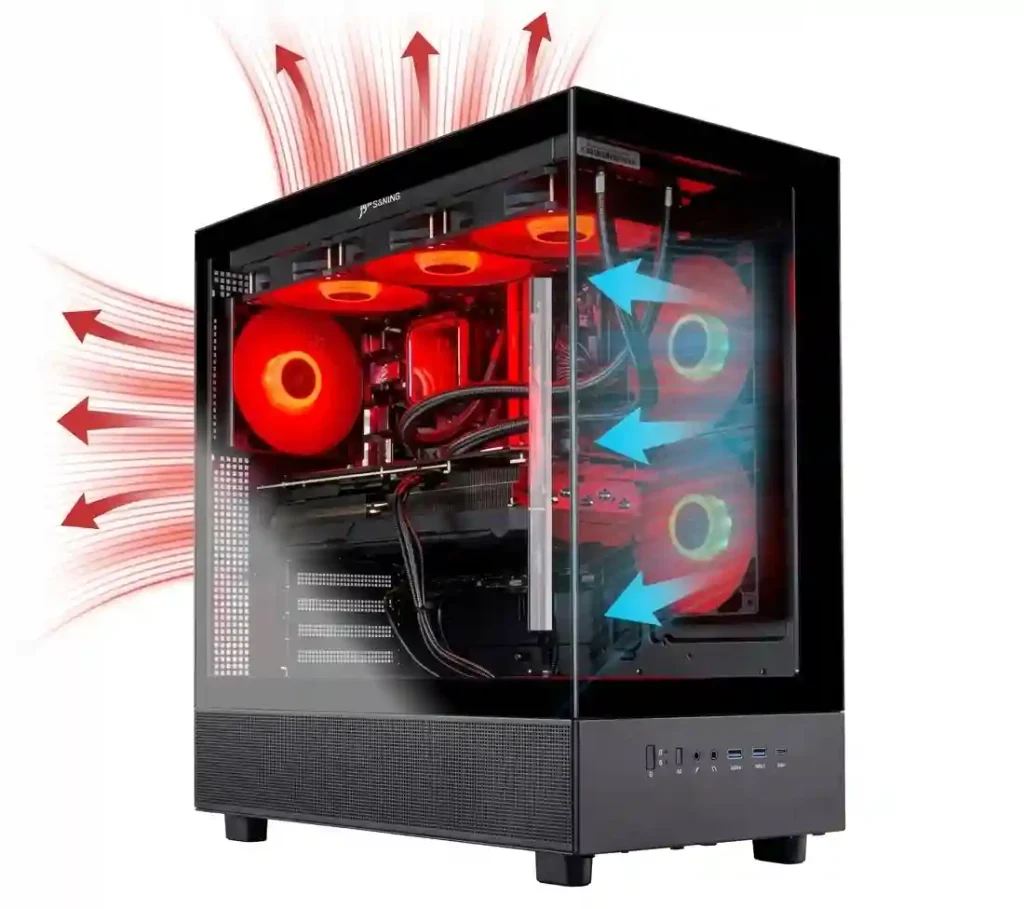
The Azure 3 uses the Montech XR Skytech Edition case on several current configurations. Skytech positions the Azure 3 chassis around airflow, cooling clearance, and maintenance access. The case and fan configuration matter because the RX 9070 XT produces substantially more heat under sustained gaming loads than the CPU alone.
How Is the Skytech Azure 3 Build Quality?
The Azure 3 uses the Montech XR Skytech Edition chassis for wrapping the powerful gaming components. The standard Montech XR construction uses a steel chassis with tempered-glass panels and mesh sections. The case provides the physical space required for the 360mm AIO and a large graphics card. Skytech also states that the Azure 3 chassis is selected with airflow, cooling clearance, and future upgrade space in mind.
The Montech XR Skytech Edition chassis is more than a cosmetic enclosure for the Azure 3. Its structure directly affects GPU clearance, liquid-cooling support, airflow, dust management, component access, and long-term maintenance.
Montech’s XR is a compact mid-tower design supporting ATX, Micro-ATX, and Mini-ITX motherboards. The chassis measures approximately 450 × 230 × 455mm, supports GPUs up to 420mm, CPU coolers up to 175mm, and ATX power supplies up to 230mm.
The Montech XR uses three-sided magnetic dust filters covering the top, side, and bottom areas. The magnetic design allows the filters to be removed without tools, making routine cleaning easier.
What Advanced I/Os Skytech Azure 3 Offers for Gaming and Streaming?
Yes, the Skytech Azure 3 provides convenient front-panel connectivity for modern gaming and streaming equipment, including capture cards, VR headsets, microphones, and high-speed external storage. The front I/O includes two USB 3.0 ports, one USB Type-C port, a dedicated microphone jack, and a headset audio jack, allowing users to connect commonly used peripherals without reaching behind the tower. A power button and reset button are also positioned on the front panel for quick access.
Is the Skytech Azure 3 Upgradable?
Yes, the Skytech Azure 3 is upgradeable, allowing you to upgrade RAM, storage, GPU, and CPU. The system uses DDR5 memory, so upgrading the current 24GB configuration to 32GB or more can provide additional headroom for demanding games and multitasking. Its 2TB NVMe Gen4 SSD can also be expanded or replaced when more storage is needed. For graphics, the Montech XR Skytech Edition chassis supports GPUs up to 420mm, although the power supply and motherboard must be checked before installing a larger card. The B650/AM5 platform also provides a path to compatible Ryzen processor upgrades, subject to motherboard BIOS support, power delivery, and cooling capacity.
What are the Pros and Cons of Skytech Azure 3 Ryzen 7 7800X3D Gaming PC?
The pros and cons of Skytech Azure 3 Ryzen 7 7800X3D gaming PC are mentioned below:
- Ryzen 7 7800X3D remains a strong gaming CPU
- RX 9070 XT provides 16GB of VRAM
- Excellent 1440p gaming target
- Capable 4K gaming platform
- 360mm AIO cooling
- Montech XR steel and tempered-glass chassis
- Three-sided magnetic dust filtration
- DDR5 memory
- NVMe Gen4 storage
- AM5/B650 platform
- Exact component brands may vary
- Prebuilt pricing changes over time
- Custom PC builders have greater component-level control
Who Should Buy the Skytech Azure 3?
The Azure 3 is meant for gamers who want a ready-to-use gaming PC built around the Ryzen 7 7800X3D and RX 9070 XT without assembling the system personally.
It particularly suits gamers who want:
- 1440p high-refresh gaming
- Strong AAA gaming performance
- Prebuilt convenience
Is the Skytech Azure 3 With Ryzen 7 7800X3D and RX 9070 XT Worth It?
The Skytech Azure 3 with Ryzen 7 7800X3D and RX 9070 XT is a strong gaming-focused prebuilt when the exact configuration and price are competitive.
The hardware combination is its main strength: an 8-core Ryzen 7 7800X3D, RX 9070 XT with 16GB VRAM, DDR5 memory, and a 360mm AIO give the system the components needed for high-refresh 1440p gaming and serious 4K gaming.
The Montech XR Skytech Edition also fits the hardware well. Its steel chassis, tempered-glass construction, mesh airflow areas, magnetic dust filters, 420mm GPU clearance, and 360mm top-radiator support provide the physical foundation needed for this class of gaming hardware.
Is the Ryzen 7 7800X3D Still Good for Modern Gaming?
Yes, the Ryzen 7 7800X3D is still good for modern gaming as it features 8-core processor with AMD 3D V-Cache while offering minimal bottleneck with high-performance GPU such as the RX 9070 XT.
Is the RX 9070 XT Good for 1440p?
Yes, the RX 9070 XT is good for 1440p gaming as it comes with massive 16GB video memory to scale any modern title to higher resolutions.